
Quick Intake & Accessory Tracking
Log desktops, laptops, and MacBooks in seconds. Record serial numbers, power adapters, bags, and cables, and print barcode stickers to tag every machine.
Manage desktop and laptop repairs, track on-site IT calls, route outsourced jobs, generate service bills, and send automatic WhatsApp updates — all in one simple app.
14 days. Full access. No card required.A flexible service management platform built for PC repair shops, laptop technicians, and IT support teams.
Log desktops, laptops, and MacBooks in seconds. Record serial numbers, power adapters, bags, and cables, and print barcode stickers to tag every machine.
Set up custom workflows for OS reinstalls, board-level diagnosis, data recovery, and corporate jobs. Set priority tags so urgent client repairs are handled first.
Easily track machines sent out to authorized brand service centers (Dell, HP, Lenovo, Apple) or external BGA chip labs with dispatch dates and return status in one place.
Handle office calls and home visits smoothly. Assign on-site IT service tickets to field engineers with mobile GPS location check-in and digital visit notes.
Add front-counter staff, hardware technicians, and branch managers with custom permissions. No per-user fees so your entire team collaborates seamlessly.
Create clean service bills showing hardware parts and labour charges with one click. Access instant reports on daily tickets, pending jobs, and total shop earnings.
From receiving a desktop or laptop at the counter to testing it and handing it back with a bill, keep every step simple and organized.

Record customer contact, device brand, serial number, and all accessories like chargers, bags, or external drives. Tag the machine with a printed barcode label so nothing gets mixed up.
Assign the ticket to an in-house hardware technician or mark it as sent out to an authorized brand service center. Update ticket stages so your whole team and customer stay informed.
Complete the repair, run stability and boot checks, generate a clean service bill, and send an automatic WhatsApp message telling the customer their computer is ready for pickup.
Keep your customers updated without having to call them. Neyodesk automatically sends WhatsApp and SMS messages when a device is received, during diagnosis, and when the computer is ready for pickup.
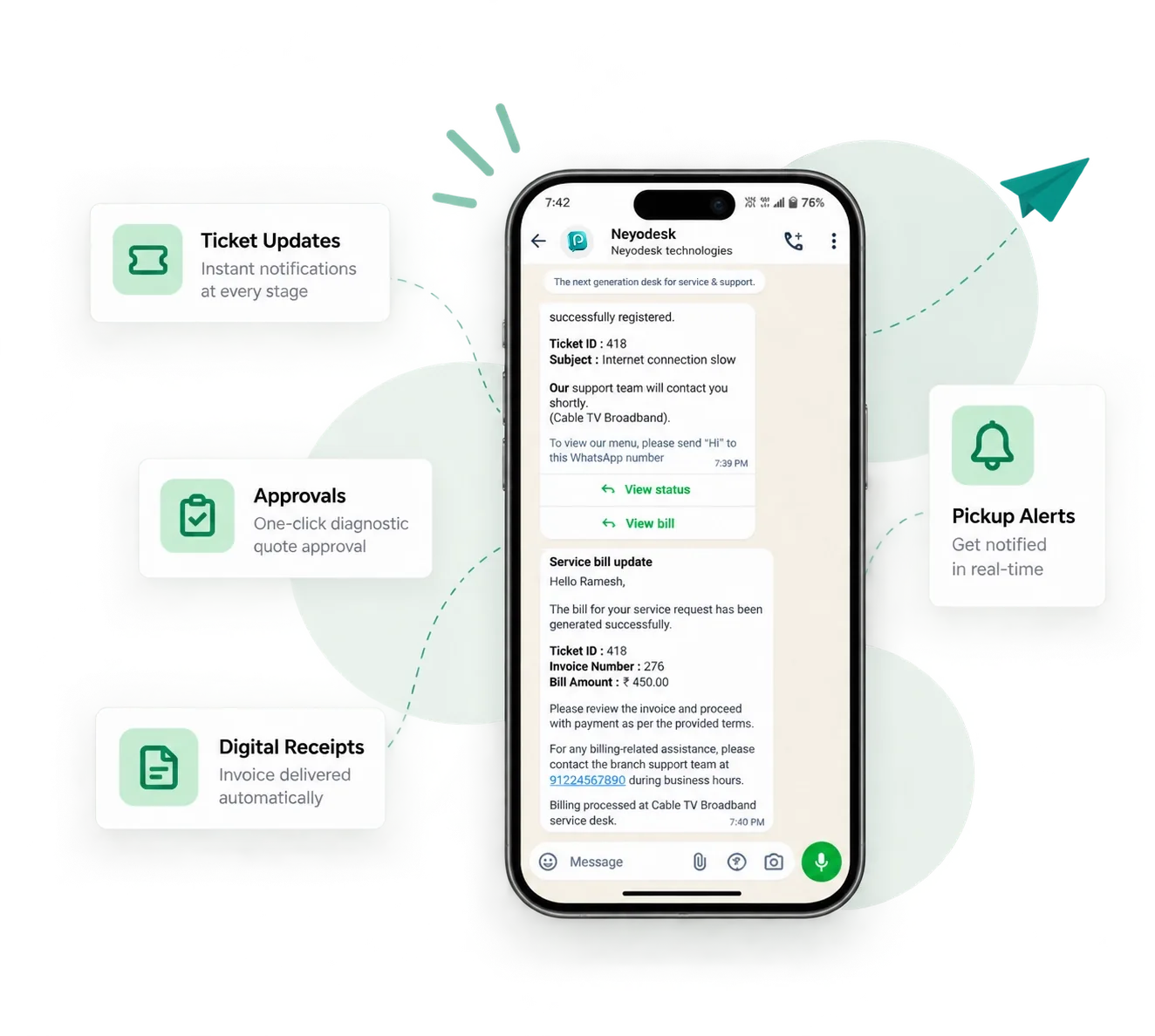

Manage your entire service operation from anywhere. Assign technicians, update ticket statuses, print barcode labels and view business analytics from iOS or Android.
14 Days Free Trial / No Card Needed
Perfect for single service centers or growing service operations getting started.
Start Free TrialBest value for growing service teams with full multi-branch capabilities.
Start Free TrialEverything you need to know about setting up Neyodesk for your computer and laptop repair shop.
You can break down computer repairs into clear stages—such as intake check, hardware diagnostics, board repair, OS installation, and final testing—assigning each stage to specialized team members.
Yes. Technicians can attach high-resolution photos of cosmetic condition, serial numbers, BIOS screens, and diagnostic benchmark reports directly to any repair ticket.
Yes. Manage batch intake for corporate laptop fleets, track individual serial numbers, set bulk priorities, and generate consolidated company invoices.
Yes. Create professional invoices with distinct itemised sections for RAM/SSD hardware, software licenses, diagnostic labour, and applicable taxes.
Yes. In-shop technicians and on-site corporate IT dispatchers can clock in using touchless mobile GPS and optional selfie verification at no extra cost.
Start with full access for 14 days.
No card required.