
01
Face Recognition
Use face recognition to verify the employee during attendance and connect attendance activity with the registered employee.
Track check-ins, check-outs, breaks, shifts, location and identity - all from one simple mobile attendance system.
14 days free · No credit card required · Instant setup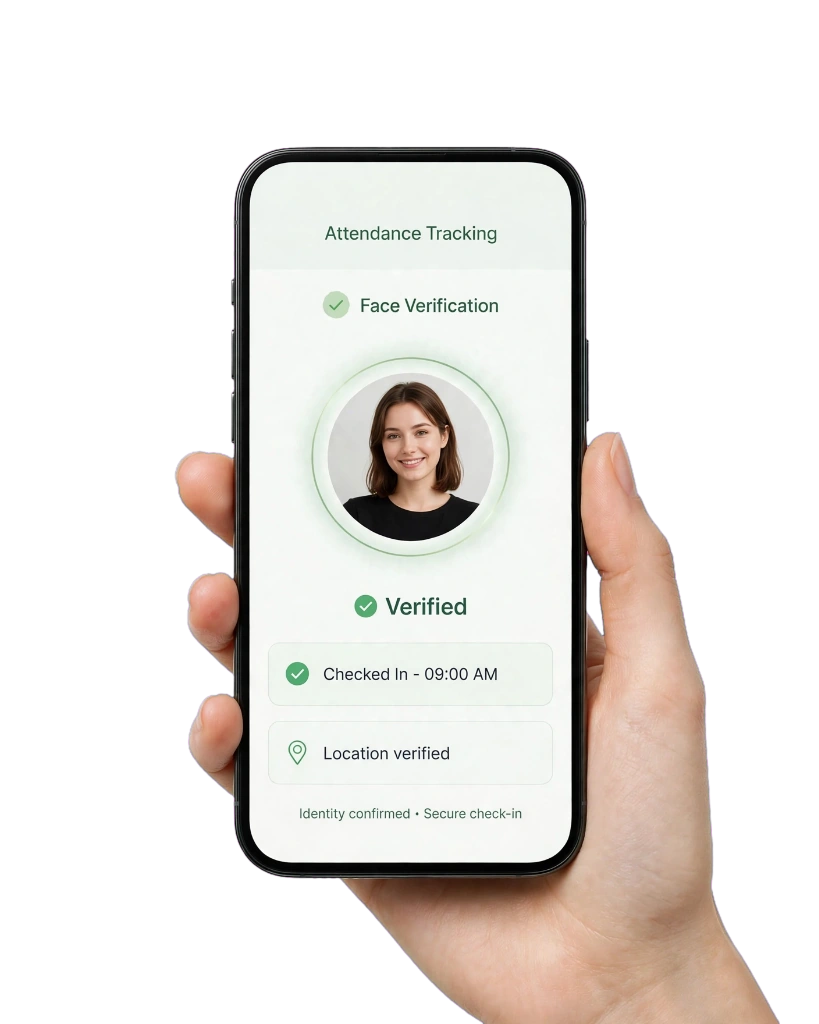
Shared fingerprint scanners are expensive, unhygienic, and break down right when you need them most. NeyoDesk replaces fragile hardware with a phone app your team already carries.
Simple for staff, precise for admins. Built from the ground up for seamless daily operations.
Use face recognition to verify the employee during attendance and connect attendance activity with the registered employee.
Create and assign multiple shifts with start times, end times, labels and working days.
Record break activity during the working day and keep it connected to the employee's attendance timeline.
Use location limits and branch-based rules to control where employees can check in and check out.
Capture a selfie during attendance actions when selfie verification is enabled.
Configure check-in validation, early check-in windows, grace periods, overtime and branch assignments.
Assign staff to one branch or several. Each branch gets its own location and its own attendance rules.
Every check-in opens directly in Google Maps, with the selfie photo right alongside it.
Staff can add a quick note when checking in, checking out, or marking themselves absent.
Go beyond basic punch-in. NeyoDesk lets managers tailor working schedules, track mid-day breaks, and enforce strict geofenced validation.
Define morning, evening, or night shifts with precise start times, end times, and dedicated working days per employee.
Staff log tea, lunch, and rest breaks on their mobile device, automatically calculating net active working hours.
Enforce branch geofencing, early check-in allowances, late grace periods, and overtime tracking across all locations.
No installation, no hardware shipment, no waiting on a technician.
Set your branch location and attendance radius.
Enable attendance, selfie verification, face recognition and other attendance rules.
Create shifts and assign working days and schedules.
Employees check in, take breaks and check out from their mobile device while administrators review attendance records.

Manage your entire service operation from anywhere. Assign technicians, update ticket statuses, print barcode labels and view business analytics from iOS or Android.
14 Days Free Trial / No Card Needed
Perfect for single service centers or growing service operations getting started.
Start Free TrialBest value for growing service teams with full multi-branch capabilities.
Start Free TrialYes. NeyoAttendance supports face recognition to verify employee identity during check-in, preventing proxy attendance and buddy punching.
Yes. Administrators can configure multiple shifts (e.g., morning, evening, night) and assign different working schedules and working days to each employee.
Yes. Employees can record break start and break end times directly in the app, giving you clear visibility into actual working hours.
Yes. GPS geofencing allows you to enforce radius limits (e.g., within 50m of the branch) so employees can only record attendance at approved locations.
Yes. You can assign staff members to specific branches or multiple locations with branch-specific attendance rules.
Yes. You can set grace periods for late check-in, configure early check-in windows, and track overtime hours worked past scheduled shifts.
No. NeyoAttendance works entirely on smartphones using GPS, selfie capture, and facial recognition, eliminating hardware and maintenance costs.
Track attendance, shifts, breaks, locations and verification from the same platform you already use to manage your service operation.
14 days free · No credit card required · Instant setup